
Programming in Unity · Module 01

C# Fundamentals

From "what is a program", all the way to classes, collections and exceptions. A complete first pass through the C# language to build the foundation you'll carry into Unity.


What Is Programming?

Section 01

What a program is, and what a programming language does

Gustave Doré engraving — divine creative power bringing order out of chaos
Him the Almighty PowerGustave Doré

What Is Programming?

Algorithm

ˈæl.ɡə.rɪ.ðəm

1A finite, well-defined sequence of instructions that takes one or more inputs and produces one or more outputs.

e.g.Binary search: given a sorted list, repeatedly halve the search space until the target is found or ruled out.

What Is Programming?

Algorithms Are Everywhere

A cake recipe as an everyday algorithm
  • An algorithm exists independently of any language or machine. It's any defined procedure that turns a clear input into a clear output, whether written in code or followed by hand.
  • Quicksort, Dijkstra's pathfinding, and a cake recipe all qualify. Each takes something in, and produces something out, by following a fixed set of steps.

What Is Programming?

Program

ˈproʊ.ɡræm

1A set of instructions, written in a programming language, that a computer can execute to perform a task.

e.g.A calculator app, a web browser, or a video game.

What Is Programming?

From Algorithm to Code

  • A program is a complete set of instructions, written in a language a computer can actually run. In this course, that language will be C#.
  • An algorithm is just the idea; a program makes it real, tied to a specific language and platform.
  • Programs put algorithms to work, but they do much more: reacting to input, moving data around, drawing to the screen. Much of programming is about wiring these pieces together.
A C# program: an algorithm expressed as runnable code

What Is Programming?

Programming Language

1A formal language with strict, unambiguous rules for writing instructions that can be translated into something a computer executes.

e.g.C#: a general purpose language, used for videogames, desktop apps, enterprise software, and web services.

What Is Programming?

The Right Tool for the Job

No language is the best at everything. Each was built for certain problems, and tends to do that job better than the rest:

  • Python — highly readable, popular for scripting, data analysis, and machine learning.
  • JavaScript — runs in every web browser, but it can also power servers via Node.js.
  • C — manual memory management and good performance, used for engines and operating systems.
  • Java — object-oriented, used for enterprise software and Android apps.

They differ in syntax and purpose, but share the same core ideas you are learning now.


Introduction to C#

Section 02

Meet the language: History & Characteristics

Gustave Doré drawing of a gnarled monster
Gnarled MonsterGustave Doré

Introduction to C#

What Is C#?

C# (pronounced "see-sharp") is a modern, general-purpose programming language created by Microsoft, first released in 2002. It was designed to be powerful and approachable at the same time, and it has grown into one of the most widely used languages in the world.

It was created by Anders Hejlsberg, who drew on the lessons of C, C++ and Java to keep the parts that worked and smooth over the parts that didn't. C# has evolved steadily ever since, gaining new features with each version while staying familiar from one release to the next.

C# code runs on .NET, Microsoft's development platform, which provides the runtime that executes your code and a vast library of ready-made tools. It's also the language Unity uses for scripting game behaviour, which is why we'll spend the rest of this course writing it.

TIOBE Index

Programming popularity · 2026

Python22.6%
C11.0%
Java8.7%
C++8.7%
C#7.4%
▲ Language of the Year 2025

TIOBE Index

Introduction to C#

What Makes C# Different

  • Statically typed — every variable has a fixed type, checked at compile time, so many mistakes are caught before the program ever runs.
  • Strongly typed — the language won't silently convert between incompatible types behind your back, so the code does what it says.
  • Memory-managed — a garbage collector frees unused memory for you, removing a whole category of crashes you'd hit in a language like C.
  • Object-oriented, but flexible — organised around classes and objects, with strong functional and procedural support when you want it.
  • Batteries included — a huge standard library covers collections, files, networking and more, out of the box.

Introduction to C#

Where C# Is Used

C# reaches far beyond games. The same language and skills carry across:

  • Games — the scripting language of Unity, one of the most popular engines in the world.
  • Desktop apps — Windows software through WPF and WinForms.
  • Web services — back-end APIs and websites with ASP.NET.
  • Mobile & cross-platform — apps for many devices from one codebase with .NET MAUI.

Introduction to C#

Why C# for Game Development

Games are demanding: they have to run in real time, frame after frame, while staying easy enough to change as ideas evolve. C# hits that sweet spot.

  • Performant enough for real-time gameplay, without the memory related bugs that haunt lower-level languages like C or C++.
  • Fast to iterate, so you try an idea, see it running, tweak it, and repeat.
  • Well-supported, with a huge ecosystem of libraries, tools, and community knowledge.

Which is exactly why Unity, the engine we'll use, chose C# as its scripting language.

Introduction to C#

Computers Don't Understand C#

Deep down, a computer's processor understands only one thing: machine code, composed by long strings of 0s and 1s. It cannot read C#. And if you saw machine code yourself, you couldn't read it either.

So there's a gap. You write in C#; the processor speaks only machine code. Something has to translate between the two, like two people who share no language needing an interpreter.

Machine code: long strings of 0s and 1s

Introduction to C#

From Source to CPU

flowchart TD
  A([C# source]) -->|compile| B["CIL — intermediate code"]
  B -->|JIT compile| C["native machine code"]
  C --> D([CPU runs it])

Your code changes form twice before the processor can run it:

  • C# source — the code you write, saved in a .cs file.
  • CIL (Common Intermediate Language) — a compiler translates your C# into this intermediate, "halfway" code, ahead of time. It's no longer C#, but it isn't machine code yet either.
  • Machine code — when you actually run the program, the runtime (using its JIT compiler) turns that CIL into the native instructions your CPU executes.

So there are two translations: C# → CIL ahead of time, and CIL → machine code while the program runs.

Introduction to C#

Why Translate Twice?

Stopping at a "halfway" code instead of going straight to machine code looks like extra work, but it buys two big things:

  • It runs anywhere. The halfway code (CIL) is identical on Windows, Mac, and Linux. Each computer only has to handle the final step its own way, so the very same program runs everywhere without rewriting.
  • It runs fast. That final step happens on your actual machine, right when the code is needed, so the result is tuned to your exact computer.

Introduction to C#

Runtime

ˈrʌn.taɪm

1A program whose job is to run other programs.

e.g.The .NET runtime (Common Language Runtime or CLR) is the one that runs your compiled C#. Java has its own, the JVM, and Mono is another runtime that also runs C#, used by Unity.

Introduction to C#

Terminology

Compiler

The translator: it turns the C# you wrote into CIL (the halfway code) ahead of time.

CIL — Common Intermediate Language

The halfway code itself: not C#, not machine code, but something in between.

CLR — Common Language Runtime

The program that runs your compiled code and manages memory, so you don't have to.

JIT Compiler — Just In Time Compiler

The part of the runtime that does the final translation "just in time", right when each piece of code is first needed.

Introduction to C#

Mono, IL2CPP, and CoreCLR

Unity has to turn the C# you write into something each device can actually run. Over the years it has done this in a few different ways, and you'll hear all three names.

Mono is another version of that .NET runtime, its own independent take on the same idea. Not the CLR itself, but a sibling that does the equivalent job. It was Unity's runtime for years, and a big reason C# could power games across so many platforms. With Mono, the halfway code (CIL) ships inside your game, and the runtime translates it into machine code on the device while the game runs.

IL2CPP ("Intermediate Language to C++") is the newer approach. Instead of translating on the device as it runs, it takes your compiled code and converts it into C++ ahead of time, which is then built into native machine code for each platform. Some platforms, like iOS, don't allow on-the-device translation at all, so IL2CPP became the way to reach them. It also tends to run faster, which is why many modern games use it.

CoreCLR is the modern, cross-platform runtime from today's mainstream .NET (.NET Core and .NET 5 and up). It's the same lineage as the original CLR, but rebuilt to run on Windows, Mac, and Linux, and it's where Microsoft's active development is currently focused. Unity has been working to adopt CoreCLR to replace the aging Mono backend, bringing modern .NET and a much better JIT and garbage collector to the engine, so it's the direction things are heading.

 

Setting up the environment

Section 03

The SDK, an editor, and your first running project

Gustave Doré engraving of a magnificent castle — the structure you set up to build in
Magnificent CastleGustave Doré

Setting Up the Environment

What You Need

To write C#, you need two things, although in practice they often come together:

  • The .NET SDK — the Software Development Kit. It holds the compiler that turns your C# into CIL, the runtime that runs it, and the standard library. Nothing builds or runs without it.
  • A text editor or an IDE — where you write. A good one understands C#, flags mistakes as you type, and runs your program at the press of a button.

The good news: most editors bring the SDK along with them, so installing one often gets you both. The next slides cover the three you'll meet most.

Setting Up the Environment

Your Three Options

Visual Studio

Microsoft's full IDE. Heaviest, but also the most complete, with the SDK bundled in. The free Community edition is the most hand-holding start.

Windows · free (Community)

VS Code

A lightweight, cross-platform editor. Add the C# Dev Kit extension for full C# support; the .NET SDK installs separately. Leaner, a little more setup.

Win / Mac / Linux · free

JetBrains Rider

JetBrains' polished C# IDE, with a bundled SDK and first-class, officially-supported Unity tooling. Free for non-commercial use.

Win / Mac / Linux · free (non-commercial)

All three compile and run your C# the same way, and all three are free while you're learning. On Windows, Visual Studio is the editor Unity installs by default. VS Code is the lighter, cross-platform option. Rider is JetBrains' full IDE, free for non-commercial use.

Setting Up the Environment

Your First Project

> dotnet new console
> dotnet run

Hello, World!

Once your editor and SKD are installed, these two commands prove everything works. Run them in an empty folder from a terminal. See the greeting printed back? Your environment is ready, and you've run your first C# program.


Hello, World!

Section 04

Your first program

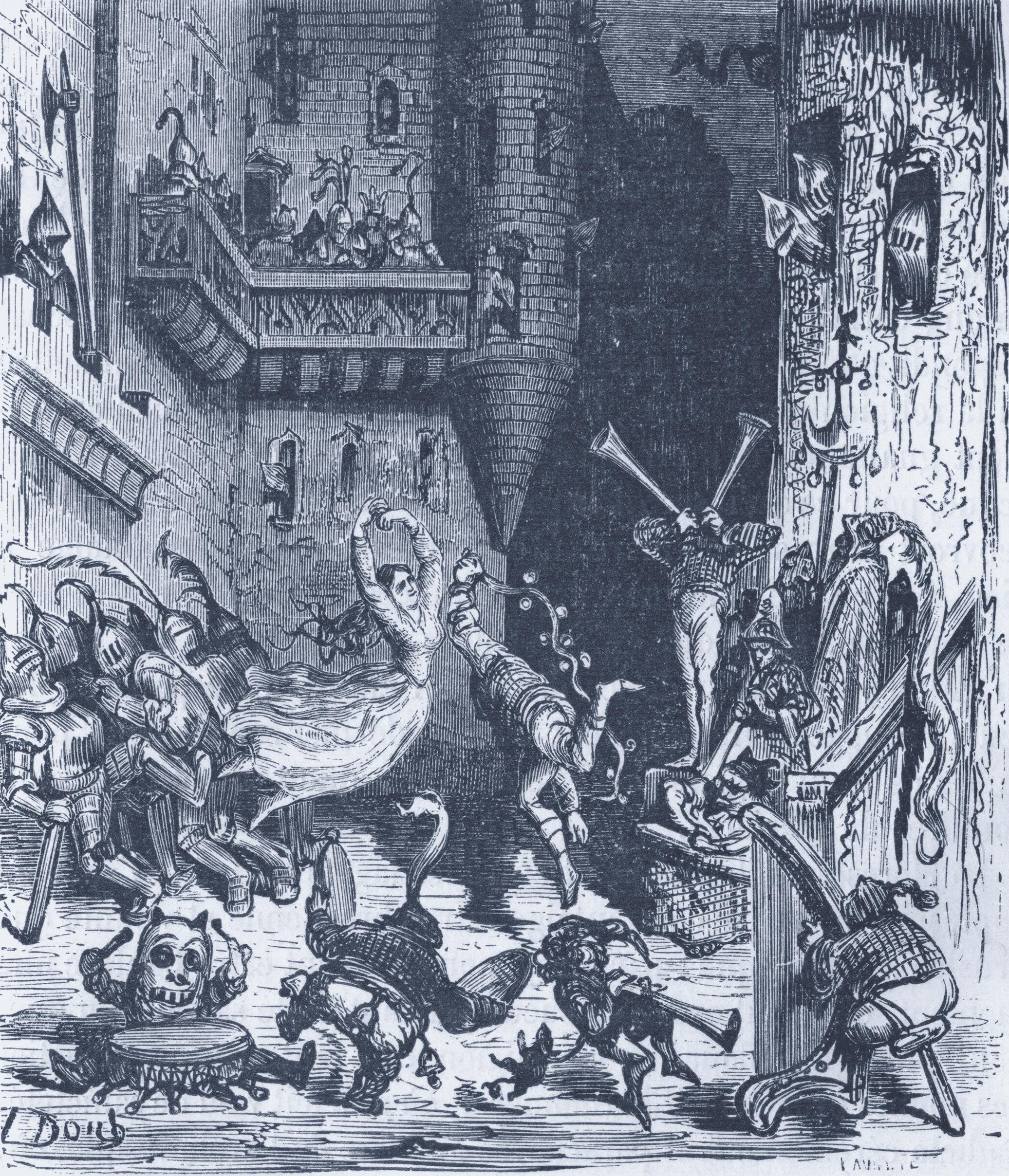
Gustave Doré engraving of jugglers and acrobats — a first joyful performance for the world
Jugglers and Acrobats at the CastleGustave Doré

Hello, World!

Your First Program

You've already run this. Now, let's look at what you did. When dotnet new console created your project, it didn't leave it blank: it wrote a single line of code for you.

That line is the traditional "Hello, World!". It's the first program you learn how to write when learning a new language.

Console.WriteLine("Hello, World!");
Hello, World!

Hello, World!

Reading the Line

Console.WriteLine("Hello, World!");

This whole line is one single statement, a single instruction the program runs. Its pieces:

  • Console — the class for the terminal, where text is written and read.
  • . — an operator that reaches into Console.
  • WriteLine — a method that writes a line of text.
  • () — an operator which calls the method.
  • "Hello, World!" — a string indicating the text to show.
  • ; — the statement terminator, ending the statement.

Hello, World!

Wait, That's the Whole Program?

Console.WriteLine("Hello, World!");

If you have ever used another object-oriented language, you would expect for that line to live inside a class and a Main method, like this:

class Program
{
    static void Main(string[] args)
    {
        Console.WriteLine("Hello, World!");
    }
}

When you write it on its own, it's called a top-level statement. C# lets you skip the wrapper and just write code directly.


Variables

Section 05

Named, reusable storage for the data your program works with

Gustave Doré engraving of many large fish — a haul of distinct stored values
Many Large FishGustave Doré

Variables

Variable

ˈvɛə.ri.ə.bəl

1A named storage location, with a fixed type, that holds a value you can read and change while the program is running.

e.g.a player's score (number), their name (text), whether the game is over (true/false).

Variables

Declaration & Initialization

string firstName;             // Declaration
firstName = "Al";             // Initialization

string secondName = "John";   // Declaration with initialization

var thirdName = "Jack";       // var: type inferred (string)

Declaring a variable states its type and name. Initialising gives it a first value. Most of the time you do both in one line.

var lets the compiler infer the type from the value, so you don't have to specify it.

Variables

Locking a Value — const & readonly

const

A true constant, fixed at compile time. Must be set right where it is declared.

const int MaxPlayers = 4;

readonly

Set once at run time, at declaration or in a constructor, then frozen. Use it when the value isn't known until the program runs.

readonly DateTime startedAt = DateTime.Now;

Variables

Default Values

A field you never assign isn't left as random memory. C# starts it at a default value decided by its type, so every field begins in a known, safe state. Each type's default:

Numbers — int, double, float

0

bool

false

char

'\0'

Reference types (classes, arrays, strings)

null

Locals are the exception: they get no default. The compiler makes you assign a value before first use.

Variables

Naming Variables

A variable's name is for humans first — choose one that says what it holds. Descriptive names make code read like an explanation of itself; vague ones force the reader to guess.

Clear

playerHealth
enemyCount
isGameOver

Vague — avoid

x
temp
data

Beyond clarity, C# follows naming conventions: local variables use camelCase (lowercase first word, capitalise each word after), while constants and other members use PascalCase — like the MaxPlayers you just saw. A name can't start with a digit or be a C# keyword.


Types

Section 06

How C# classifies every piece of data — the backbone of a strongly typed language.

Gustave Doré engraving of Brother Bruin the bear — a creature of a definite kind
Brother BruinGustave Doré

Types

What Is a Type?

Every value in C# has a type: a label that says what kind of data it is and what you can do with it. The number 5 is an int; the text "hi" is a string; true is a bool.

Types are the foundation everything else in this section builds on.

Type

taɪp

1A classification of data that defines the set of possible values it can hold and the operations that can be performed on it.

e.g.An int can hold whole numbers and be added or multiplied; a bool can only hold true or false.

What Is a Type

Why the Compiler Uses Types

Because C# is strongly typed, the compiler knows the type of every value before the program runs. That lets it:

  • Catch mistakes early — adding text to a number is rejected at compile time, not in front of a player.
  • Choose the right machine instructions for the data.
  • Reserve exactly the right amount of memory.
  • Give you accurate autocomplete and tooling.

Types

Value Types and Reference Types

Every C# type falls into one of two families: value types and reference types. The difference is in what a variable actually holds — the data itself, or a reference to it. This single distinction explains a surprising amount of C# behaviour.

Value & Reference Types

What a Value Type Is

A value type holds its data directly. When you assign it to another variable or pass it to a method, the value is copied — the two are now independent.

int a = 10;
int b = a;   // b gets a copy
b = 99;      // changing b does not touch a
// a is still 10

Numbers, bool, char, enum and struct are value types.

Value & Reference Types

What a Reference Type Is

A reference type holds a reference — an address pointing to the data, which lives elsewhere. Copying the variable copies the address, so both refer to the same object.

int[] x = { 1, 2, 3 };
int[] y = x;   // y points to the same array
y[0] = 99;     // x[0] is now 99 too

Classes, arrays and strings are reference types.

Value & Reference Types

How They Differ in Memory

Value type

The variable is the box. The data sits right where the variable lives, and a copy duplicates the box.

Reference type

The variable holds a label pointing to a box somewhere else. A copy duplicates the label, not the box.

We'll explore exactly where these boxes live — the stack and the heap — in the Memory section.

Value & Reference Types

Why It Matters

This distinction quietly drives everyday behaviour:

  • Whether changing one variable affects another.
  • What happens when you pass data to a function.
  • How equality and copying behave.

Keep it in the back of your mind — it returns again and again.

Types

Simple Types

C# has a handful of built-in simple types for the most basic kinds of data: whole numbers, decimals, single characters and true/false values. They have convenient keyword names like int, double, char and bool.

Simple Types

What Simple Types Are

Simple types are the small, built-in value types baked into the language with their own keywords. Each keyword is just a friendly alias for a type in the .NET library — for example, int is really System.Int32.

int health = 100;
double speed = 5.5;
char grade = 'A';
bool isAlive = true;

Simple Types

"Primitive" — a Word to Use Carefully

People often call these "primitive types", borrowing the term from languages like Java. In C# that word is not quite accurate.

C# has no formal category called "primitive". Its simple types are really structs — full value types with methods of their own. You can write 5.ToString() or int.MaxValue; a true primitive couldn't do that. So "simple type" is the correct term.

Types

Numeric Types

C# offers several numeric types, differing in how much they can hold and how precise they are. Choosing the right one is about range (how big) and precision (how exact).

Numeric Types

Which One When?

Whole numbers

int — your default for counting anything: scores, lives, indices.

Decimals

float and double for measurements and maths where tiny rounding is fine — positions, speeds.

Money

decimal when exactness matters, like currency, where rounding errors are unacceptable.

Numeric Types

int

int is a 32-bit whole number — no fractional part. It holds roughly -2.1 billion to +2.1 billion, which is plenty for almost all counting.

int score = 1500;
int lives = 3;
int total = score + 250;

When in doubt about whole numbers, reach for int.

Numeric Types

float

float is a 32-bit floating-point number — it can hold fractions. The f suffix marks a literal as a float. It trades precision for size and is the default for positions and distances in Unity.

float speed = 5.5f;
float gravity = -9.81f;

About 6–7 significant digits of precision.

Numeric Types

double

double is a 64-bit floating-point number — twice the size of a float, with about 15–16 digits of precision. It's the default for decimal literals in C#, so 3.14 is a double unless you say otherwise.

double pi = 3.14159265358979;
double result = 10.0 / 3.0;

Numeric Types

decimal

decimal is a 128-bit type built for exact decimal values. It avoids the tiny binary rounding errors of float/double, which makes it the right choice for money. Mark literals with the m suffix.

decimal price = 19.99m;
decimal total = price * 3;

More precise, but slower and smaller in range — use it where correctness beats speed.

Types

bool

A boolean represents a single yes/no, on/off truth value. It is the foundation of every decision your program makes.

bool

buːl

1A value type that can hold only one of two values — true or false.

e.g.A bool named isGameOver is false while the player is alive and becomes true when they lose.

bool

true and false

A bool has exactly two possible values: true and false. They usually come from comparisons, and they drive conditionals and loops.

bool isAlive = true;
bool hasKey = false;
bool canEnter = health > 0;   // a comparison produces a bool
if (isAlive) {
    Console.WriteLine("Keep playing");
}

Types

char

A char holds a single character — one letter, digit, or symbol. It's the building block that strings are made of.

char

tʃɑːr

1A value type that holds exactly one character, written between single quotes.

e.g.'A', '7', '?' and ' ' (a space) are all valid char values.

char

Character Literals and Encoding

A char literal uses single quotes — 'A' — while a string uses double quotes — "A". Don't mix them up.

Under the hood a char is a 16-bit number representing a Unicode (UTF-16) code unit, so each character maps to a number you can even do arithmetic on.

char letter = 'A';
char digit = '7';
int code = letter;   // 65 — the Unicode value of 'A'

Types

Enums

An enum lets you define a type with a small, fixed set of named values. Instead of remembering that 0 means North and 1 means East, you give those numbers readable names.

enum

ˈiː.nʌm

1A value type that defines a named set of related constants, making code more readable and less error-prone.

e.g.enum Direction { North, East, South, West } lets you write Direction.North instead of a bare 0.

Enums

Declaration and Usage

Declare the set of names, then use them by name. Code reads like English, and the compiler stops you using an invalid value.

enum Direction { North, East, South, West }

Direction facing = Direction.North;

if (facing == Direction.North) {
    Console.WriteLine("Heading north");
}

Enums

Underlying Types

Behind the scenes each enum member is a number — by default an int starting at 0 and counting up. You can set the values explicitly, or change the underlying type.

enum Difficulty : byte
{
    Easy = 1,
    Normal = 2,
    Hard = 4
}

Here the underlying type is byte, and each name has a chosen value.

Enums

The Flags Attribute

Marking an enum with [Flags] lets you combine members like a set of switches, using bitwise operators. Give each member a distinct power of two.

[Flags]
enum Toppings
{
    None     = 0,
    Cheese   = 1,
    Bacon    = 2,
    Mushroom = 4
}

Toppings order = Toppings.Cheese | Toppings.Bacon;

Types

string

A string is a piece of text — a sequence of characters. It's one of the most-used types in any program, from player names to dialogue.

string

A string Is a Reference Type

Unlike the numeric and char types, string is a reference type. The variable holds a reference to the text data rather than the text itself.

It usually behaves like a simple value, though, because strings are immutable — once created they can't be changed. We'll unpack why that matters later.

string

Declaration and Usage

Write strings in double quotes. You can join them with +, or use string interpolation with $ to drop values straight in.

string name = "Aria";
string greeting = "Hello, " + name;
string line = $"{name} scored {1500} points";

string

More on Strings Later

Strings get a whole section of their own later in the course, covering immutability, memory, useful methods, and StringBuilder.

For now, just know how to create one and join a couple together.

Types

Arrays

An array holds a fixed-size, ordered collection of values that all share the same type — like a row of numbered boxes.

Arrays

An Array Is a Reference Type

Arrays are reference types. The variable holds a reference to the block of elements, not the elements themselves — so copying an array variable copies the reference, and both names point to the same data.

Arrays

Basic Syntax

Declare the element type followed by []. You can give the size, or list the initial values directly. Elements are read and written by their index, starting at 0.

int[] scores = new int[3];   // three slots, all 0
scores[0] = 100;

string[] names = { "Aria", "Ben", "Cleo" };
Console.WriteLine(names[1]);  // Ben

Arrays

More on Arrays Later

Arrays get their own dedicated section later, covering initialization, iterating over elements, and multi-dimensional arrays.

For now, just recognise the type[] syntax and that indexing starts at 0.


Operators

Section 07

The symbols that combine, compare and transform your values.

Gustave Doré engraving of a fierce charge — forces combining and acting on each other
They Fiercely Charged ForwardGustave Doré

Operators

Operators

An operator is a symbol that performs an action on one or more values (its operands). You already met = and +; let's organise the common ones into families.

Operators

Arithmetic Operators

These do maths. Note % (modulo) gives the remainder of a division — handy for "every Nth" logic and wrapping values.

int sum   = 5 + 3;   // 8
int diff  = 5 - 3;   // 2
int prod  = 5 * 3;   // 15
int quot  = 7 / 2;   // 3  (integer division truncates)
int rem   = 7 % 2;   // 1  (the remainder)

Operators

Comparison Operators

These compare two values and always produce a bool. They're the source of nearly every condition in your code.

bool a = 5 == 5;   // equal to          -> true
bool b = 5 != 3;   // not equal to      -> true
bool c = 5 > 3;    // greater than      -> true
bool d = 5 < 3;    // less than         -> false
bool e = 5 >= 5;   // greater or equal  -> true
bool f = 3 <= 2;   // less or equal     -> false

Operators

Logical Operators

These combine booleans. && (and) is true only if both sides are; || (or) is true if either is; ! (not) flips a value.

bool canEnter = hasKey && isDoorUnlocked;
bool canRest  = isSafe || hasShield;
bool isEnemy  = !isFriendly;

Both && and || "short-circuit": they stop evaluating as soon as the answer is certain.

Operators

Assignment Operators

= assigns a value. The compound forms combine an operation with assignment, so you change a variable based on its current value.

int x = 10;
x += 5;   // x = x + 5  -> 15
x -= 3;   // x = x - 3  -> 12
x *= 2;   // x = x * 2  -> 24
x /= 4;   // x = x / 4  -> 6
x++;      // increment by 1 -> 7

Operators

Type Conversion

Often you need a value as a different type — an int used as a double, or text turned into a number. Type conversion is how you move between types, and C# is strict about when it happens automatically versus when you must ask.

Type Conversion

Implicit Conversion

When there's no risk of losing data, C# converts automatically. A smaller type widens into a larger one — an int fits perfectly inside a double.

int whole = 7;
double precise = whole;   // 7 becomes 7.0 automatically

Type Conversion

Explicit Casting

When a conversion might lose data, C# refuses to do it silently — you must cast, acknowledging the risk with (type) in front of the value.

double precise = 9.8;
int whole = (int)precise;   // 9 — the fraction is dropped

Casting between number types truncates; it doesn't round.

Type Conversion

Common Conversion Methods

To convert text to numbers (and back), use library methods rather than casts:

int n = int.Parse("42");          // string -> int
bool ok = int.TryParse("42", out n); // safe: no crash on bad input
string s = 42.ToString();         // int -> string
double d = Convert.ToDouble("3.14");

Prefer TryParse for user input — it reports failure instead of throwing.

Operators

Strong vs Weak Typing

Languages differ in how strictly they enforce types. This shapes how many mistakes the compiler can catch for you — and C# sits firmly on the strict end.

Strong vs Weak Typing

What It Means

In a strongly typed language, types are enforced: you can't accidentally treat text as a number. In a weakly typed language, types bend silently, which is flexible but error-prone.

Separately, static typing means types are checked at compile time; dynamic typing checks them at run time.

Strong vs Weak Typing

How C# Fits In

C# is strongly and statically typed. Every variable has a known type at compile time, and illegal mixes are rejected before the program ever runs.

int x = 5;
x = "hello";   // compile error — caught immediately

A weakly typed language might have quietly allowed this and misbehaved later.

Strong vs Weak Typing

Practical Implications

  • Fewer runtime surprises — many bugs become compile errors.
  • Better tooling — autocomplete and refactoring rely on known types.
  • A little more typing up front — you state types, but gain safety.

For games, catching a type bug at compile time beats finding it during a live demo.


Functions

Section 08

Naming and reusing a block of logic — the first big step toward organised code.

Gustave Doré engraving of a parrot urging her on — a named helper called to act
The Parrot Urged Her OnGustave Doré

Functions

What Is a Function?

A function is a named, reusable block of code that performs a task. You write it once and call it whenever you need it, which keeps programs short, readable and free of duplication.

Function

ˈfʌŋk.ʃən

1A named block of code that takes optional inputs, performs a task, and optionally returns a result.

e.g.A function called Square could take a number and return that number multiplied by itself.

What Is a Function

C# Has No Standalone Functions

Strictly speaking, C# doesn't have free-floating functions — every function belongs to a type and is called a method. We'll meet methods properly in the OOP section.

For now, top-level statements let us declare local functions and call them as if they were standalone. It's a convenient pretence so we can learn the idea before learning classes.

What Is a Function

Parameters and Arguments

Parameters are the named inputs in a function's definition. Arguments are the actual values you pass when you call it.

void Greet(string name)   // 'name' is a parameter
{
    Console.WriteLine($"Hello, {name}");
}

Greet("Aria");   // "Aria" is the argument

What Is a Function

Return Types

A function's return type declares what kind of value it hands back. The return keyword sends that value to the caller and ends the function.

int Square(int n)
{
    return n * n;   // returns an int
}

int result = Square(5);   // result is 25

What Is a Function

void Functions

A function that does something but returns nothing has the return type void. It performs an action — printing, moving, saving — without producing a value.

void PrintScore(int score)
{
    Console.WriteLine($"Score: {score}");
}

PrintScore(1500);

What Is a Function

Functions with a Return Value

A non-void function computes and returns a result you can store or use in an expression. Think of it as a question that gives an answer.

int Add(int a, int b)
{
    return a + b;
}

int total = Add(3, 4) + Add(1, 1);   // 7 + 2 = 9

What Is a Function

Named Arguments

You can pass arguments by parameter name, which makes a call self-documenting and lets you reorder them.

void Move(int x, int y) { /* ... */ }

Move(x: 10, y: 5);
Move(y: 5, x: 10);   // same thing, order doesn't matter

What Is a Function

Optional Parameters

Give a parameter a default value and callers may omit it. Optional parameters must come after all the required ones.

void Attack(int damage, bool critical = false)
{
    // critical defaults to false when not supplied
}

Attack(10);              // critical is false
Attack(10, critical: true);

What Is a Function

The params Keyword

params lets a function accept any number of arguments of a type, gathered into an array. Great when the count isn't fixed.

int Sum(params int[] numbers)
{
    int total = 0;
    foreach (int n in numbers) total += n;
    return total;
}

Sum(1, 2, 3);        // 6
Sum(10, 20, 30, 40); // 100

What Is a Function

ref and out Parameters

Normally value-type arguments are copied. ref passes a variable by reference, so the function can change the caller's variable. out is similar but used to return extra values.

void Double(ref int n) { n *= 2; }

int x = 5;
Double(ref x);   // x is now 10

bool ok = int.TryParse("42", out int parsed); // out returns the result

What Is a Function

Expression-Bodied Functions

When a function is a single expression, => gives a compact one-line form — no braces, no return keyword.

int Square(int n) => n * n;
string Greet(string name) => $"Hello, {name}";

Identical behaviour to the block form, just tidier for short functions.

What Is a Function

Recursion

A recursive function calls itself to solve a smaller version of the same problem. Every recursion needs a base case that stops it, or it loops forever.

int Factorial(int n)
{
    if (n <= 1) return 1;        // base case
    return n * Factorial(n - 1); // recursive step
}

Factorial(4);   // 4 * 3 * 2 * 1 = 24


Scope and Lifetime

Section 09

Where a variable can be seen, and how long it lives.

Gustave Doré engraving of a labyrinth — bounded regions where a name is visible
In Labyrinth of Many a RoundGustave Doré

Scope and Lifetime

Scope and Lifetime

Scope is where in your code a name is visible. Lifetime is how long its value exists in memory. The two are closely linked: a variable usually lives as long as the block it's declared in is running.

Scope and Lifetime

What Scope Is

A name is only usable within the region where it's declared. Outside that region, the compiler doesn't know it exists. Scope keeps unrelated parts of a program from stepping on each other's names.

Scope and Lifetime

Local Variables

A local variable is declared inside a function and exists only while that function runs. Each call gets its own fresh copy, and it's gone when the function returns.

void Play()
{
    int score = 0;   // local to Play
    score += 10;
}                    // score ceases to exist here

Scope and Lifetime

Block Scope

A block is any region between { } — a loop body, an if, or a bare pair of braces. A variable declared inside a block is visible only within it.

if (isAlive)
{
    int bonus = 50;   // exists only inside these braces
    score += bonus;
}
// bonus is not accessible here

Scope and Lifetime

Variable Shadowing

Shadowing happens when an inner scope declares a name that already exists in an outer scope. The inner one "hides" the outer for that region. C# forbids it for local variables to prevent confusion.

int value = 10;
{
    int value = 20;   // error in C#: already declared in an enclosing scope
}

It can occur between a field and a local, which is one reason clear names matter.


Conditionals

Section 10

Letting a program choose between paths based on what's true.

Gustave Doré engraving of a forking road to perdition — choosing one branch over another
The Road to PerditionGustave Doré

Conditionals

Conditionals

A conditional runs code only when a condition is true. It's how a program makes decisions — the difference between a script that always does the same thing and one that reacts.

Conditionals

if / else if / else

if runs a block when its condition is true. else if offers another test, and else catches everything left over. Only the first matching branch runs.

if (score >= 90)
{
    Console.WriteLine("Gold");
}
else if (score >= 50)
{
    Console.WriteLine("Silver");
}
else
{
    Console.WriteLine("Try again");
}

Conditionals

Nested Conditionals

An if can live inside another if, letting you check a second condition only once the first holds. Useful, but deep nesting hurts readability — keep it shallow.

if (isLoggedIn)
{
    if (hasPermission)
    {
        OpenEditor();
    }
}

Conditionals

switch Statement

When you're comparing one value against many fixed options, a switch is cleaner than a long if/else if chain. Each case handles one value; default catches the rest.

switch (direction)
{
    case "N": Move(0, 1); break;
    case "S": Move(0, -1); break;
    default:  Console.WriteLine("Unknown"); break;
}

Conditionals

switch Expression

A modern switch expression returns a value directly, using => arms and _ as the catch-all. It's concise and great for mapping one value to another.

string label = score switch
{
    >= 90 => "Gold",
    >= 50 => "Silver",
    _     => "Try again"
};


Arrays

Section 11

Working with fixed-size collections of same-typed values, in depth.

Gustave Doré engraving of ranked towers and fortresses — an ordered, fixed row of slots
Knocked Down Towers and FortressesGustave Doré

Arrays

Declaration and Initialization

You met arrays earlier. Now the details. You can size an array up front and fill it later, or initialize it with values immediately.

int[] a = new int[5];            // five zeros
int[] b = new int[] { 1, 2, 3 }; // sized from the values
int[] c = { 10, 20, 30 };        // shorthand for the same

An array's length is fixed once created — it can't grow.

Arrays

Accessing Elements

Reach an element by its index, counting from 0. The last index is Length - 1. Going out of range throws an exception at run time.

string[] names = { "Aria", "Ben", "Cleo" };
Console.WriteLine(names[0]);          // Aria
names[2] = "Cara";                    // overwrite Cleo
Console.WriteLine(names.Length);      // 3

Arrays

Multi-Dimensional Arrays

Arrays can have more than one dimension — handy for grids, boards and tile maps. A 2-D array uses [,] and two indices: row and column.

int[,] grid = new int[2, 3];   // 2 rows, 3 columns
grid[0, 0] = 5;
grid[1, 2] = 9;

int[,] board = { { 1, 2 }, { 3, 4 } };


Loops

Section 12

Repeating work without repeating yourself.

Gustave Doré engraving of Munchausen pulling on his own braid — a self-referential repeating act
Pulled on My Own BraidGustave Doré

Loops

Loops

A loop runs a block of code repeatedly. It's how you process every item in a collection, count to a number, or keep a game running frame after frame.

Loops

for Loop

flowchart TD
  A([Start]) --> B["i = 0"]
  B --> C{"i < 5 ?"}
  C -->|yes| D["print i"]
  D --> E["i++"]
  E --> C
  C -->|no| F([Done])

The for loop is ideal when you know how many times to repeat. It bundles three parts: a start value, a continue condition, and a step.

for (int i = 0; i < 5; i++)</div>
    </div>
    {
    Console.WriteLine(i);
}

Start at 0, keep going while i < 5, add 1 each pass.

Loops

while Loop

flowchart TD
  A([Start]) --> B{"countdown > 0 ?"}
  B -->|yes| C["print countdown"]
  C --> D["countdown--"]
  D --> B
  B -->|no| E([Done])

A while loop repeats as long as a condition stays true, checking it before each pass. Use it when the number of repetitions isn't known in advance.

int countdown = 3;</div>
    </div>
    while (countdown > 0)
{
    Console.WriteLine(countdown);
    countdown--;
}

Make sure something changes inside, or it never ends.

Loops

do-while Loop

flowchart TD
  A([Start]) --> B["read input"]
  B --> C{"input != quit ?"}
  C -->|yes| B
  C -->|no| D([Done])

A do-while loop checks its condition after the body, so the body always runs at least once. Perfect for menus and input prompts.

string input;</div>
    </div>
    do
{
    input = Console.ReadLine();
}
while (input != "quit");

Loops

foreach Loop

flowchart TD
  A([Start]) --> B{"more items ?"}
  B -->|yes| C["name = next item"]
  C --> D["print name"]
  D --> B
  B -->|no| E([Done])

The foreach loop walks through every item in a collection, with no index to manage. It's the cleanest way to read each element in turn.

string[] names = { "Aria", "Ben", "Cleo" };</div>
    </div>
    foreach (string name in names)
{
    Console.WriteLine(name);
}

Use it when you want each item but don't need its position.

Loops

Loop Control

Sometimes you need to steer a loop from the inside — leaving early, or skipping a pass. Two keywords give you that control: break and continue.

Loop Control

break

flowchart TD
  A([Start]) --> B{"i < 10 ?"}
  B -->|no| F([Done])
  B -->|yes| C{"i == 5 ?"}
  C -->|yes| F
  C -->|no| D["print i"]
  D --> E["i++"]
  E --> B

break exits the loop immediately, skipping any remaining iterations. Great for stopping as soon as you've found what you need.

for (int i = 0; i < 10; i++)</div>
    </div>
    {
    if (i == 5) break;   // stop the whole loop at 5
    Console.WriteLine(i); // prints 0..4
}

Loop Control

continue

flowchart TD
  A([Start]) --> B{"i < 6 ?"}
  B -->|no| G([Done])
  B -->|yes| C{"i is odd ?"}
  C -->|yes| E["i++"]
  C -->|no| D["print i"]
  D --> E
  E --> B

continue skips the rest of the current pass and jumps to the next iteration. Use it to ignore items that don't qualify.

for (int i = 0; i < 6; i++)</div>
    </div>
    {
    if (i % 2 != 0) continue;  // skip odd numbers
    Console.WriteLine(i);      // prints 0,2,4
}

Loop Control

Nested Loops

flowchart TD
  A([Start]) --> B{"row < 3 ?"}
  B -->|no| H([Done])
  B -->|yes| C["col = 0"]
  C --> D{"col < 3 ?"}
  D -->|yes| E["print row,col"]
  E --> F["col++"]
  F --> D
  D -->|no| G["row++"]
  G --> B

A loop inside another loop is a nested loop — the inner one runs fully for each pass of the outer. Essential for grids and tables. A break only exits the loop it's in.

for (int row = 0; row < 3; row++)</div>
    </div>
    {
    for (int col = 0; col < 3; col++)
    {
        Console.Write($"({row},{col}) ");
    }
    Console.WriteLine();
}


Memory

Section 13

A first look at where your data lives while a program runs.

Gustave Doré engraving of corpse candles — faint lights marking where things still linger
Corpse CandlesGustave Doré

Memory

What Is Memory?

While your program runs, all its data lives in memory (RAM) — a vast set of numbered slots the computer can read and write quickly. Variables are really friendly names for locations in that memory.

What Is Memory

What Memory Is

Think of memory as an enormous wall of numbered lockers. Each holds a small piece of data, and the CPU fetches and stores values by their numbers (addresses). Your code never juggles raw addresses — C# handles that for you.

What Is Memory

The Stack and the Heap

The Stack

Fast, organised, automatic. Holds local variables and tracks which function is running. Grows and shrinks neatly as functions are called and return.

The Heap

A larger, flexible pool for data whose size or lifetime isn't fixed — the objects that reference types point to. Managed by the garbage collector.

This is the overview; we'll revisit both in depth after you've met classes.

What Is Memory

Value and Reference Types in Memory

This is where the value/reference distinction becomes concrete:

  • Value types typically live right on the stack, holding their data inline.
  • Reference types live on the heap; the variable on the stack just holds a reference (address) to them.

That's why copying a value type duplicates the data, while copying a reference type shares it.

What Is Memory

How C# Manages Memory for You

In some languages you must manually free every piece of memory you allocate — and forgetting causes leaks and crashes. C# is managed: the garbage collector automatically reclaims heap objects you're no longer using.

You focus on logic; the runtime handles cleanup. We'll see how the GC works in the deep-dive section.


Introduction to OOP

Section 14

A way of organising programs around the "things" in your problem.

Gustave Doré engraving of a courting scene — objects relating to one another
CourtingGustave Doré

Introduction to OOP

Programming Paradigms

A paradigm is a style of organising and thinking about code. Languages tend to favour one or more. Understanding the main paradigms explains why C# is shaped the way it is.

Programming Paradigm

1A fundamental style or approach to structuring programs and reasoning about them.

e.g.Procedural, object-oriented and functional are three of the most influential paradigms.

Programming Paradigms

Procedural Programming

Procedural programming organises code as a sequence of steps and functions that act on data. It's exactly the style we've used so far: do this, then that, calling functions along the way.

Simple and direct, but it can get unwieldy as a program grows and data and behaviour drift apart.

Programming Paradigms

Object-Oriented Programming

Object-oriented programming bundles data and the behaviour that acts on it into objects. Instead of functions floating beside loose data, each object owns its data and the methods that operate on it.

This models real-world "things" — a Player, an Enemy, an Inventory — very naturally.

Programming Paradigms

Functional Programming

Functional programming treats computation as the evaluation of functions, favouring immutable data and avoiding hidden state changes. It leads to predictable, easily testable code.

C# borrows many functional ideas — lambdas, LINQ, immutability — even though it isn't a purely functional language.

Programming Paradigms

How C# Supports Multiple Paradigms

C# is multi-paradigm. It's object-oriented at its core, fully supports procedural code (the top-level statements you've been writing), and embraces functional techniques too.

You can pick the right style for each problem — but OOP is the backbone we'll build on next.

Introduction to OOP

What Is OOP?

Object-oriented programming structures a program as a set of cooperating objects, each combining state (data) with behaviour (methods). It's the dominant way large C# and Unity projects are built.

What Is OOP

The Four Pillars

  • Encapsulation — bundle data with the code that uses it, and hide the internals.
  • Inheritance — build new types on top of existing ones, reusing what they offer.
  • Polymorphism — treat different types through a shared interface, each behaving in its own way.
  • Abstraction — expose the essentials and hide needless detail.

Each pillar gets its own treatment later in the course.

What Is OOP

Why OOP Exists

As programs grow, loose functions and shared data become hard to manage. OOP tames that complexity by:

  • Grouping related data and behaviour so they evolve together.
  • Hiding internals, so changes stay local and safe.
  • Encouraging reuse through inheritance and shared contracts.

What Is OOP

How C# Implements OOP

C# gives you the full OOP toolkit: class and struct to define types, access modifiers for encapsulation, inheritance via :, virtual/override for polymorphism, and abstract classes and interfaces for abstraction.

The next sections introduce each of these in turn.


Classes and Objects

Section 15

The blueprint and the thing built from it — the heart of OOP.

Gustave Doré engraving of a giant — one grand blueprint made concrete and towering
A GiantGustave Doré

Classes and Objects

Classes and Objects

This is the cornerstone of OOP. A class is a blueprint that defines what a kind of thing has and does; an object is a concrete instance built from that blueprint.

Classes and Objects

What a Class Is

A class defines a new type by describing its data (fields) and behaviour (methods). It's a template — defining a class doesn't create any actual data yet.

class Player
{
    public string Name;
    public int Health;

    public void TakeDamage(int amount)
    {
        Health -= amount;
    }
}

Classes and Objects

What an Object Is

An object is a real instance of a class, with its own copy of the data, living in memory. From one Player class you can make many independent players.

Player hero = new Player();
hero.Name = "Aria";
hero.Health = 100;
hero.TakeDamage(30);   // hero.Health is now 70

Class vs Object

1A class is the blueprint; an object is a specific thing built from it. One class, many objects.

e.g."House blueprint" is the class; the three identical houses built from it are three objects, each with its own address and paint colour.

Classes and Objects

Instantiation

Creating an object from a class is called instantiation, done with the new keyword. new allocates the object on the heap and hands you a reference to it.

Player p1 = new Player();   // one instance
Player p2 = new Player();   // a separate, independent instance

Each new produces a distinct object with its own field values.

Classes and Objects

The Top-Level Statements Reveal

Remember how the compiler wrapped your top-level code in a class with a Main method? Now it makes sense: there is no code outside a class in C#. Your program was always a class all along.

class Program
{
    static void Main(string[] args)
    {
        // your top-level code lived here
    }
}

The training wheels are off — everything is objects and classes.

Classes and Objects

Fields and Properties

An object's data is stored in fields, but we usually expose it through properties — a controlled gateway that looks like a field but can run code behind the scenes.

Fields and Properties

What Fields Are

A field is a variable that belongs to an object — its raw stored data. Each object has its own copy.

class Player
{
    public string name;   // a field
    public int health;    // a field
}

Exposing fields directly is convenient but gives you no control over how they're read or changed.

Fields and Properties

What Properties Are

A property looks like a field from the outside but is backed by get and set accessors — methods that run when the value is read or written. This lets you validate or react to changes.

class Player
{
    private int health;
    public int Health
    {
        get { return health; }
        set { health = value < 0 ? 0 : value; }  // never below 0
    }
}

Fields and Properties

Auto-Properties

When you don't need custom logic, an auto-property gives you the property syntax with a hidden backing field generated for you — concise and the everyday default.

class Player
{
    public string Name { get; set; }
    public int Health { get; private set; }  // read-only from outside
}

Fields and Properties

Getters and Setters

The get accessor returns the value; the set accessor receives it through the implicit value keyword. You can omit one to control access, or run any logic inside.

public string Name
{
    get => name;
    set => name = value.Trim();   // tidy input on the way in
}

Fields and Properties

Fields vs Properties

Field

Raw storage. Direct and fast, but no control — anyone can read or write any value.

Property

A controlled gateway. Same usage syntax, but it can validate, compute, restrict access, or react to changes.

Rule of thumb: keep fields private, and expose data through public properties.

Classes and Objects

Constructors

A constructor is special code that runs when an object is created, used to set it up — typically giving its fields their initial values.

Constructors

What a Constructor Is

A constructor is a method named after the class, with no return type. It runs once, when you new the object, guaranteeing it starts life in a valid state.

class Player
{
    public string Name;
    public Player()          // the constructor
    {
        Name = "Unnamed";
    }
}

Constructors

Default Constructor

If you write no constructor at all, C# supplies a hidden default constructor that takes no arguments and leaves fields at their default values. The moment you write any constructor of your own, that freebie disappears.

Player p = new Player();   // works via the default constructor

Constructors

Parameterized Constructor

A constructor can take parameters so callers supply starting values, making objects impossible to create in a half-built state.

class Player
{
    public string Name;
    public int Health;

    public Player(string name, int health)
    {
        Name = name;
        Health = health;
    }
}

Player hero = new Player("Aria", 100);

Constructors

Constructor Chaining

One constructor can call another with : this(...), avoiding duplicated setup code. This is constructor chaining.

public Player() : this("Unnamed", 100)
{
    // delegates to the constructor below
}

public Player(string name, int health)
{
    Name = name;
    Health = health;
}

Classes and Objects

Access Modifiers

Access modifiers control who can see and use a member. They're how C# enforces encapsulation — deciding what's part of a type's public face and what's hidden inside.

Access Modifiers

public

public members are visible to everyone — any code anywhere can read or call them. This is the deliberate, public-facing surface of a type.

public string Name;
public void Attack() { /* ... */ }

Access Modifiers

private

private members are visible only inside the same class. This is the default for class members, and the right choice for internal details you don't want others touching.

private int health;
private void Recalculate() { /* ... */ }

Access Modifiers

protected

protected members are visible inside the class and any class that inherits from it, but not to outside code. It's the bridge between a base class and its descendants.

protected int experience;

We'll use this once we reach inheritance.

Access Modifiers

internal

internal members are visible anywhere within the same assembly (project/compiled unit) but not to other assemblies. Good for code that's public across your project yet not part of its external API.

internal class LevelLoader { /* ... */ }

Access Modifiers

Why They Matter — Encapsulation

Access modifiers turn encapsulation from an idea into a rule the compiler enforces. By keeping fields private and exposing a small public surface, you:

  • Protect objects from invalid states.
  • Free yourself to change internals without breaking other code.
  • Make a type easier to understand and use correctly.

Classes and Objects

Static Members

Most members belong to an object. Static members belong to the class itself — shared by all instances, and usable without creating any object at all.

Static Members

What static Means

static ties a member to the type rather than to any one instance. There's exactly one copy, no matter how many objects exist — or even if none do.

Console.WriteLine(...);   // WriteLine is static — no Console object needed
int big = int.MaxValue;   // MaxValue is a static field on int

Static Members

Static Fields and Methods

A static field is shared state across all instances; a static method is called on the class, not an object. Static methods can't touch instance data, since there's no specific instance.

class Enemy
{
    public static int Count;       // shared by all enemies
    public Enemy() { Count++; }

    public static void ResetCount() => Count = 0;
}

Static Members

Static Classes

A class marked static can't be instantiated and holds only static members. It's a tidy home for utility functions that don't need any object state.

static class MathHelper
{
    public static int Square(int n) => n * n;
}

int result = MathHelper.Square(5);

Static Members

Static vs Instance

Instance member

Belongs to a specific object. Each object has its own copy; accessed through a variable like hero.Health.

Static member

Belongs to the class. One shared copy; accessed through the type like Enemy.Count.

Ask: "is this about one object, or about the whole type?" That answers whether it should be static.

Classes and Objects

Methods

A method is a function that lives inside a class. Everything you learned about functions — parameters, return types, ref/out — applies; the difference is that a method belongs to a type and can act on its object's data.

Methods

Functions Become Methods

The standalone functions we faked with top-level statements are, properly, methods on a class. Inside a method, you can read and change the object's own fields directly.

class Player
{
    public int Health;
    public void Heal(int amount)   // a method
    {
        Health += amount;          // acts on this object's field
    }
}

Methods

Method Overloading

Overloading lets several methods share a name as long as their parameters differ. The compiler picks the right one from the arguments you pass.

void Log(string message) { /* ... */ }
void Log(int code)        { /* ... */ }
void Log(string message, int code) { /* ... */ }

Log("Saved");        // calls the first
Log(404);            // calls the second
Log("Error", 500);   // calls the third


Structs

Section 16

Lightweight value types that look like classes but behave differently.

Gustave Doré engraving of a large toad — a small, self-contained creature of its own kind
Large ToadGustave Doré

Structs

Structs

A struct defines a custom type much like a class — with fields, properties and methods — but it's a value type. That single difference changes how it's copied, stored and used.

Structs

What a Struct Is

You declare a struct with the struct keyword. It's ideal for small, self-contained bundles of data, like a point or a colour.

struct Point
{
    public int X;
    public int Y;

    public Point(int x, int y)
    {
        X = x;
        Y = y;
    }
}

Point p = new Point(3, 4);

Structs

Struct vs Class

struct — value type

Copied on assignment; each variable is independent. Usually lives on the stack. No inheritance.

class — reference type

Shared by reference; copies point to the same object. Lives on the heap. Supports inheritance.

Point a = new Point(1, 1);
Point b = a;   // b is a full copy
b.X = 99;      // a.X is still 1

Structs

When to Use Structs

Reach for a struct when the data is:

  • Small — a handful of fields.
  • Logically a single value — a coordinate, a colour, a range.
  • Immutable or short-lived — copied cheaply, not shared.

Unity's Vector3 and Color are structs for exactly these reasons. When in doubt, use a class.

Structs

Limitations of Structs

  • No inheritance — a struct can't derive from another struct or class.
  • Copy cost — large structs are expensive to copy around.
  • Easy to mutate a copy by mistake, thinking you changed the original.
  • Being a value type, an uninitialized struct field is all-zeros, not null.


Generics

Section 17

Writing code once that works safely for many types.

Gustave Doré engraving of Baron Munchausen
Baron MunchausenGustave Doré

Generics

Generics

Generics let you write a class or method with a type placeholder, filled in when it's used. You get code reuse and full type safety — no casting, no losing track of types.

Generics

What Generics Are

The placeholder — written <T> by convention — stands in for a real type chosen by the caller. The same code then works for any type, while the compiler still checks every use.

List&lt;int&gt; numbers = new List&lt;int&gt;();    // T is int
List&lt;string&gt; names = new List&lt;string&gt;(); // T is string

You've already used generics every time you wrote List<...>.

Generics

Generic Classes

A generic class declares one or more type parameters in angle brackets, then uses them inside as if they were real types.

class Box<T>
{
    private T contents;
    public void Put(T item) => contents = item;
    public T Get() => contents;
}

Box<int> intBox = new Box<int>();
intBox.Put(42);
int value = intBox.Get();

Generics

Generic Methods

A single method can be generic even if its class isn't. The type parameter goes right after the method name.

void Swap<T>(ref T a, ref T b)
{
    T temp = a;
    a = b;
    b = temp;
}

int x = 1, y = 2;
Swap(ref x, ref y);   // T inferred as int

Generics

Type Constraints

Sometimes a generic type must meet a requirement — be a class, have a constructor, or implement an interface. The where clause adds those constraints, unlocking what you can do with T.

T CreateAndReturn<T>() where T : new()
{
    return new T();   // allowed because T must have a constructor
}

void Print<T>(T item) where T : IComparable { /* ... */ }


Memory in Depth

Section 18

Returning to the stack, the heap and the garbage collector — now that we have objects.

Gustave Doré engraving of Roland's descent — going down deeper into the layers below
Roland's DescentGustave Doré

Memory in Depth

Memory in Depth

Earlier we sketched memory in broad strokes. Now that you understand objects, let's look more closely at where data lives and how C# keeps it tidy.

Memory in Depth

The Stack in Depth

The stack is a region that grows and shrinks in strict last-in, first-out order. Each method call pushes a stack frame holding its local variables and parameters; returning pops it off — instantly freeing them.

It's extremely fast because allocation is just moving a pointer, but it's limited in size and tied to method calls.

Memory in Depth

The Heap in Depth

The heap is a larger, flexible pool for data whose lifetime isn't tied to a single method call — every object created with new. Allocation is more involved, and the memory stays alive as long as something references it.

Reference-type variables on the stack simply hold the address of their object on the heap.

Memory in Depth

Value vs Reference Types in Depth

Putting it together:

  • A local value type lives in the stack frame and dies with it.
  • A reference type lives on the heap; the stack holds only a reference to it.
  • A value type inside a class object lives on the heap too — wherever its owner lives.

So "value types are on the stack" is a useful simplification, not an absolute rule.

Memory in Depth

The Garbage Collection Cycle

flowchart LR
    A([new object]) --> B[Lives on the heap]
    B --> C{Still reachable?}
    C -->|Yes| B
    C -->|No| D[Marked as garbage]
    D --> E[("Memory reclaimed")]

Memory in Depth

Garbage Collection

The garbage collector (GC) periodically finds heap objects that nothing references any more and reclaims their memory automatically. An object becomes eligible the moment it's unreachable.

This frees you from manual cleanup, but it isn't free: collections take time, so in games we try to avoid creating needless garbage in hot code paths.

Memory in Depth

C# vs C and C++

C / C++

You allocate and free memory by hand. Maximum control and speed, but mistakes cause leaks, dangling pointers and crashes.

C#

The runtime manages the heap and the GC frees memory for you. Far safer and faster to write, at the cost of some control and occasional GC pauses.

This trade — safety and productivity over manual control — is central to why C# fits games and apps so well.


Collections

Section 19

Flexible, resizable containers for groups of data.

Gustave Doré engraving of a crowded tournament scene — a large gathered group
Deplorable Death of SavoisyGustave Doré

Collections

Collections Overview

Collections are types built to store and manage groups of objects. Unlike arrays, most can grow and shrink, and they come with rich methods for adding, finding and removing items.

Collections Overview

Why Collections Exist

Real programs rarely know how many items they'll hold up front — an inventory grows, enemies spawn and die. Collections handle that dynamism for you, so you don't manually resize and copy arrays.

They live in the System.Collections.Generic namespace and are all generic.

Collections Overview

Collections vs Arrays

Array

Fixed size, chosen at creation. Slightly faster and lighter. Best when the count is known and stable.

Collection (e.g. List)

Resizes automatically. Rich helper methods. Best when items are added and removed over time.

An array is the simple foundation; collections add convenience and flexibility on top.

Collections

List

A List is the workhorse collection: an ordered, resizable sequence of same-typed items. If you reach for one collection by default, it's this one.

List

What a List Is

A List<T> is like an array that can grow and shrink. T is the element type, fixed when you declare it, so it stays fully type-safe.

List<int> scores = new List<int>();
List<string> names = new List<string>();

List

Declaration and Initialization

Create an empty list, or initialize it with starting values using a collection initializer.

List<int> empty = new List<int>();
List<string> party = new List<string> { "Aria", "Ben", "Cleo" };

List

Adding and Removing Elements

Lists handle resizing for you as you add and remove.

List<string> party = new List<string>();
party.Add("Aria");          // append
party.Insert(0, "Ben");     // at a position
party.Remove("Aria");       // by value
party.RemoveAt(0);          // by index
Console.WriteLine(party.Count);  // how many

List

Iterating over a List

Walk a list with foreach when you want each item, or a for loop when you need the index.

foreach (string name in party)
{
    Console.WriteLine(name);
}

for (int i = 0; i < party.Count; i++)
{
    Console.WriteLine($"{i}: {party[i]}");
}

List

Common List Methods

  • Add / AddRange — append items.
  • Remove / RemoveAt / Clear — take items out.
  • Contains / IndexOf — search.
  • Count — current number of items.
  • Sort / Reverse — reorder in place.

Collections

Dictionary

A Dictionary stores data as key → value pairs, letting you look up a value instantly by its key instead of scanning through positions.

Dictionary

What a Dictionary Is

A Dictionary<TKey, TValue> maps unique keys to values. Think of a real dictionary: look up a word (key) to get its definition (value).

Dictionary<string, int> ages = new Dictionary<string, int>();

Dictionary

Key-Value Pairs

Each entry pairs a key with a value. Keys must be unique; values needn't be. The key is how you find the value again.

// key: player name   value: their score
Dictionary<string, int> scores = new Dictionary<string, int>();
scores["Aria"] = 1500;   // "Aria" is the key, 1500 the value

Dictionary

Declaration and Initialization

Start empty or seed it with pairs using an initializer.

Dictionary<string, int> scores = new Dictionary<string, int>
{
    ["Aria"] = 1500,
    ["Ben"]  = 1200
};

Dictionary

Adding, Removing, Accessing

Use the key like an index to read or write. TryGetValue safely handles missing keys.

scores["Cleo"] = 900;          // add or update
scores.Remove("Ben");          // remove by key
int aria = scores["Aria"];     // read (throws if missing)

if (scores.TryGetValue("Cleo", out int c))
{
    Console.WriteLine(c);      // safe lookup
}

Dictionary

Iterating over a Dictionary

Loop with foreach; each item is a KeyValuePair with .Key and .Value.

foreach (KeyValuePair<string, int> entry in scores)
{
    Console.WriteLine($"{entry.Key}: {entry.Value}");
}

Collections

Other Collections

List and Dictionary cover most needs, but C# offers specialised collections whose shape enforces a particular access pattern.

Other Collections

Queue

A Queue is first-in, first-out (FIFO) — like a line at a checkout. You Enqueue at the back and Dequeue from the front.

Queue<string> tasks = new Queue<string>();
tasks.Enqueue("load");
tasks.Enqueue("render");
string next = tasks.Dequeue();   // "load"

Other Collections

Stack

A Stack is last-in, first-out (LIFO) — like a stack of plates. You Push on top and Pop from the top. Great for undo history.

Stack<string> history = new Stack<string>();
history.Push("move1");
history.Push("move2");
string undo = history.Pop();     // "move2"

Other Collections

HashSet

A HashSet stores unique values with no order, and checks membership extremely fast. Adding a duplicate simply does nothing.

HashSet<string> visited = new HashSet<string>();
visited.Add("room1");
visited.Add("room1");            // ignored — already present
bool seen = visited.Contains("room1");   // true

Other Collections

When to Use Each

Queue

Process items in arrival order — job queues, message handling, breadth-first traversal.

Stack

Process the most recent first — undo/redo, backtracking, parsing.

HashSet

Track membership and uniqueness — "have I seen this?", removing duplicates.

Pick the collection whose rules match your access pattern, and the code reads its own intent.


Inheritance and Polymorphism

Section 20

Building types on top of types, and letting them behave in their own way.

Gustave Doré engraving of an elder lady — an ancestor passing traits down the line
Older LadyGustave Doré

Inheritance & Polymorphism

Inheritance

Inheritance lets one class build on another, reusing its data and behaviour and adding or changing what it needs. It models "is-a" relationships: a Dog is an Animal.

Inheritance

What Inheritance Is

Inheritance creates a new class from an existing one. The new class gets everything the original has, then extends it — avoiding duplicated code and capturing shared structure once.

class Animal
{
    public string Name;
    public void Eat() => Console.WriteLine($"{Name} eats");
}

class Dog : Animal
{
    public void Bark() => Console.WriteLine("Woof");
}

Base & Derived Class

1The base (parent) class is inherited from; the derived (child) class inherits and extends it.

e.g.Animal is the base class; Dog is a derived class that gains Name and Eat() while adding Bark().

Inheritance

The Colon Syntax

You declare inheritance with a colon: class Derived : Base. A class can inherit from exactly one base class in C#.

class Enemy { /* ... */ }
class Boss : Enemy { /* Boss is an Enemy, plus more */ }

Inheritance

What Gets Inherited

A derived class inherits the base's public, protected and internal members. It does not inherit:

  • private members (they exist but aren't accessible directly).
  • Constructors — though it can call them.

The derived class can then add new members or override existing behaviour.

Inheritance

The base Keyword

base refers to the parent class. Use it to call the base constructor, or to invoke base behaviour you're extending rather than fully replacing.

class Boss : Enemy
{
    public Boss(string name) : base(name)   // call Enemy's constructor
    {
    }

    public override void Attack()
    {
        base.Attack();        // do the normal attack...
        Console.WriteLine("...then a special move!");
    }
}

Inheritance & Polymorphism

Virtual and Override

By default a derived class can't change an inherited method. virtual and override are the opt-in mechanism that lets it provide its own version — the basis of polymorphism.

Virtual and Override

What virtual Means

Marking a base method virtual declares "derived classes may replace this." It still provides a default implementation that's used unless someone overrides it.

class Animal
{
    public virtual void Speak() => Console.WriteLine("...");
}

Virtual and Override

What override Means

A derived class uses override to supply its own version of a virtual method. Calls then run the derived version, even through a base-typed variable.

class Dog : Animal
{
    public override void Speak() => Console.WriteLine("Woof");
}

Animal a = new Dog();
a.Speak();   // "Woof" — the Dog version runs

Virtual and Override

Why They Exist

Together they let you write code against a general type and have each specific type behave correctly. A list of Animal can hold dogs and cats, and Speak() does the right thing for each — no if-chains on type.

Virtual and Override

The sealed Keyword

sealed is the opposite of leaving things open. On a class it prevents further inheritance; on an overridden method it stops further overriding down the chain.

sealed class FinalBoss : Enemy { /* no one can inherit from this */ }

public sealed override void Attack() { /* can't be overridden again */ }

Inheritance & Polymorphism

Abstract Classes

An abstract class is a base class that can't be instantiated on its own — it exists to be inherited from. It captures what a family of types shares while leaving some details for each child to fill in.

Abstract Classes

What abstract Means

Marking a class abstract says "this is an incomplete blueprint — only concrete subclasses can be created." You can't write new Shape() if Shape is abstract.

abstract class Shape
{
    public string Name;
}

// new Shape();  // error — abstract
Shape s = new Circle();  // fine — Circle is concrete

Abstract Classes

Abstract Methods

An abstract method has no body — just a signature. It forces every concrete subclass to provide an implementation, guaranteeing the behaviour exists.

abstract class Shape
{
    public abstract double Area();   // no body — must be overridden
}

class Circle : Shape
{
    public double Radius;
    public override double Area() => 3.14159 * Radius * Radius;
}

Abstract Classes

When to Use Abstract Classes

Use an abstract class when types share real structure and code, but one member can't be meaningfully defined at the base level.

  • There is a sensible shared base — Shape, Enemy, Weapon.
  • You want to share fields and concrete methods, not just a contract.
  • Each subclass must supply certain behaviour of its own.

Inheritance & Polymorphism

Interfaces

An interface is a pure contract: a list of members a type promises to provide, with no implementation and no data. It says what a type can do, never how.

Interfaces

What an Interface Is

Declared with interface (named with a leading I by convention), it lists method and property signatures only. Any type that implements it must supply all of them.

interface IDamageable
{
    void TakeDamage(int amount);
    int Health { get; }
}

Interfaces

How to Implement an Interface

Implement an interface with the same colon syntax as inheritance, then provide every member it declares.

class Player : IDamageable
{
    public int Health { get; private set; } = 100;
    public void TakeDamage(int amount) => Health -= amount;
}

Interfaces

Interface vs Abstract Class

Interface

A pure contract — no fields, (traditionally) no implementation. A type can implement many. Answers "what can it do?"

Abstract class

A partial base — can hold fields and shared code. A type can inherit only one. Answers "what is it?"

Rule of thumb: use an interface for a capability, an abstract class for a shared identity.

Interfaces

Multiple Interface Implementation

A class inherits from only one base class, but it can implement many interfaces — mixing in several capabilities at once.

class Player : Character, IDamageable, IMovable, ISaveable
{
    // must implement the members of all three interfaces
}

This is how C# gets the flexibility of multiple inheritance without its pitfalls.

Inheritance & Polymorphism

Polymorphism

Polymorphism — "many forms" — lets one piece of code work with objects of many types through a shared base or interface, each responding in its own way.

Polymorphism

What Polymorphism Is

It means a single name or type can take many forms. A variable typed as Animal can hold a Dog or a Cat, and calling Speak() runs the version that fits the actual object.

Polymorphism

Runtime Polymorphism

With virtual/override, C# decides at run time which method to call based on the object's real type — not the variable's declared type. This is runtime polymorphism.

List<Animal> zoo = new List<Animal> { new Dog(), new Cat() };
foreach (Animal a in zoo)
{
    a.Speak();   // each speaks correctly — Woof, then Meow
}

Polymorphism

Practical Examples

  • A render loop drawing every IDrawable, whatever its concrete type.
  • A damage system calling TakeDamage on anything IDamageable.
  • A save system serialising every ISaveable object the same way.

Polymorphism is what lets game systems treat wildly different objects uniformly.


String in Depth

Section 21

Revisiting strings now that reference types and memory make sense.

Gustave Doré engraving of a wide flowing river — a long, continuous sequence
The River Was So WideGustave Doré

String in Depth

String in Depth

We met string early as "text". Now we can understand its real nature: a reference type, immutable, with memory behaviour worth knowing — plus the tools to work with it efficiently.

String in Depth

Immutability

Strings are immutable: once created, the characters never change. Operations that seem to modify a string actually create a new one and leave the original untouched.

string s = "hello";
s.ToUpper();          // returns "HELLO" but s is unchanged
s = s.ToUpper();      // reassign to keep the result

String in Depth

Why string Is a Reference Type

Strings can be any length, so their data lives on the heap like other reference types, with the variable holding a reference. Yet immutability makes them feel like values — you can freely share one without worrying that someone will change it under you.

String in Depth

Memory Implications

Because every change makes a new string, building text in a loop with + creates many throwaway strings — extra work for the garbage collector.

string result = "";
for (int i = 0; i < 1000; i++)
{
    result += i;   // allocates a new string every pass — wasteful
}

String in Depth

Common String Methods

Strings come with a rich toolkit (each returns a new string or a value):

  • Length — number of characters.
  • ToUpper / ToLower — change case.
  • Trim — remove surrounding whitespace.
  • Substring — extract part of it.
  • Replace, Split, Contains, IndexOf — search and transform.

String in Depth

StringBuilder

The problem

Repeated + concatenation allocates a new string each time — slow and garbage-heavy in loops.

The fix

StringBuilder holds a mutable buffer you append to, producing the final string just once.

var sb = new StringBuilder();
for (int i = 0; i < 1000; i++) sb.Append(i);
string result = sb.ToString();   // built efficiently


Exception Handling

Section 22

Dealing with the things that go wrong while a program runs.

Gustave Doré engraving of Satan in torment — something gone badly wrong, caught mid-fall
Satan Knew PainGustave Doré

Exception Handling

Exception Handling

Even correct code meets bad input, missing files and broken connections. Exceptions are C#'s way of signalling and handling these runtime problems without crashing the whole program.

Exception Handling

What an Exception Is

An exception is an object representing an error that occurs while running. When something goes wrong, code throws an exception; unless it's caught, it stops the program.

int[] a = { 1, 2, 3 };
Console.WriteLine(a[10]);   // throws IndexOutOfRangeException

Exception Handling

try / catch / finally

Wrap risky code in try, handle failures in catch, and put cleanup that must always run in finally.

try
{
    int result = 10 / divisor;
}
catch (DivideByZeroException ex)
{
    Console.WriteLine("Can't divide by zero");
}
finally
{
    Console.WriteLine("This always runs");
}

Exception Handling

Common Exceptions

  • NullReferenceException — using something that's null.
  • IndexOutOfRangeException — an array index past the end.
  • DivideByZeroException — integer division by zero.
  • FormatException — parsing text that isn't the expected format.
  • ArgumentException — a method got an invalid argument.

Exception Handling

Custom Exceptions

You can define your own exception types for errors specific to your program, by inheriting from Exception. They make failures self-describing and catchable on their own.

class OutOfManaException : Exception
{
    public OutOfManaException(string message) : base(message) { }
}

throw new OutOfManaException("Not enough mana to cast");

Exception Handling

Re-throwing Exceptions

Sometimes you catch an exception to log or react, then want it to keep propagating. Use a bare throw; to re-throw while preserving the original error and its stack trace.

try
{
    LoadSave();
}
catch (Exception ex)
{
    Log(ex);
    throw;          // re-throw; don't write "throw ex;" — it loses the trace
}

Exception Handling

The Exception Hierarchy

flowchart TD
    A[System.Exception] --> B[SystemException]
    A --> C[Your custom exceptions]
    B --> D[NullReferenceException]
    B --> E[IndexOutOfRangeException]
    B --> F[ArgumentException]
    F --> G[ArgumentNullException]


Week 1 Recap

Section 23

Looking back at the language — and ahead to the engine.

Gustave Doré engraving of an assault — pressing onward toward the next stage
The AssaultGustave Doré

Week 1 Recap

Everything We Covered

  • Foundations — what programs, languages and C# are, and how code runs.
  • Data — types, variables, operators, and conversions.
  • Control flow — functions, scope, conditionals and loops.
  • Memory — the stack, the heap and garbage collection.
  • OOP — classes, structs, generics, inheritance and polymorphism.
  • Working tools — collections, strings, and exception handling.

Week 1 Recap

How It All Connects

None of these topics stands alone. Types describe your data; variables hold it; functions and control flow act on it; classes bundle data with behaviour; the value/reference distinction explains how it all lives in memory; collections and exceptions are built from the very same ideas.

You now have a complete mental model of how a C# program is built and how it runs.

Week 1 Recap

What Comes Next — Unity

With the language under your belt, we step into Unity. Everything you've learned carries over directly:

  • Your scripts are classes that inherit from Unity's MonoBehaviour.
  • Vector3 and friends are structs; game objects are managed by reference.
  • Loops drive gameplay, and exceptions still guard against the unexpected.

Same language, new stage. See you in Unity.